
Skills to Put on a Resume: 100+ Examples by Job and Skill Type
Explore 100+ skills to put on a resume, with hard, soft, technical, transferable, and job-specific examples plus guidance on choosing and proving them.
Quick answer
This guide is about choosing and proving skills, not copying every job-description phrase.
The best skills to put on a resume are the ones the target job actually needs and you can support with real experience, projects, education, certifications, or other credible evidence.
The key skills for a resume are the job-relevant capabilities you genuinely have and can support with evidence. Start with the job description, identify the core technical, functional, and interpersonal skills, then make the strongest matches easy to find in your skills section and throughout your experience. A shorter list of relevant skills is usually more useful than a long list of generic strengths.
- Prioritize skills that appear in the role's required qualifications and core responsibilities.
- Use specific skill names when they are accurate, such as SQL, Salesforce, financial modelling, or patient scheduling.
- Show important skills again in experience or project bullets when you have evidence for them.
- Use soft skills selectively and support them with examples instead of relying on adjectives.
- Do not add a skill simply because it appears in the job description.
On this page
What skills should you put on a resume?
The right skills depend on the job, not on a universal list.
A good resume skills section is not a collection of every tool you have used or every positive trait you can think of. It is a focused snapshot of the capabilities that matter for the role you are applying to.
CareerOneStop recommends keeping skills relevant to the job and notes that technical and other job-specific skills are usually the main focus of a dedicated Skills section. That is a useful rule of thumb. If a skill matters to the employer and you genuinely have it, make it easy to find.
The strongest skills also appear in context. If SQL is important, a recruiter should ideally see more than SQL in a list. They should also be able to find a project or experience bullet showing how you used it. The same applies to customer onboarding, financial analysis, project planning, patient care, or any other capability central to the role.
Hard skills, soft skills, technical skills, and transferable skills
Resume advice often separates skills into categories. The labels are useful, but they can overlap. A skill matters because of how it relates to the job, not because it fits perfectly into one bucket.
O*NET describes soft skills as interpersonal and thinking skills used to interact successfully with people and work effectively. Its occupational database also separates skills, technology skills, work activities, knowledge, and other job requirements. That is a useful reminder that a resume should reflect the actual mix required by the occupation rather than forcing every qualification into one generic skills list.
- Skill type
- Hard skills
- What it means
- Learned abilities that are usually tied to a task, method, process, or area of knowledge
- Examples
- Financial modelling, bookkeeping, copywriting, data analysis, inventory management
- Skill type
- Technical skills
- What it means
- Tools, software, languages, systems, or technical methods used to perform work
- Examples
- SQL, Python, Salesforce, AutoCAD, Power BI, QuickBooks
- Skill type
- Soft skills
- What it means
- Interpersonal and thinking skills that affect how you work with people, information, and decisions
- Examples
- Active listening, negotiation, coordination, critical thinking, time management
- Skill type
- Transferable skills
- What it means
- Capabilities that remain useful when you move between roles, companies, or industries
- Examples
- Project coordination, research, stakeholder communication, problem solving, training
| Skill type | What it means | Examples |
|---|---|---|
| Hard skills | Learned abilities that are usually tied to a task, method, process, or area of knowledge | Financial modelling, bookkeeping, copywriting, data analysis, inventory management |
| Technical skills | Tools, software, languages, systems, or technical methods used to perform work | SQL, Python, Salesforce, AutoCAD, Power BI, QuickBooks |
| Soft skills | Interpersonal and thinking skills that affect how you work with people, information, and decisions | Active listening, negotiation, coordination, critical thinking, time management |
| Transferable skills | Capabilities that remain useful when you move between roles, companies, or industries | Project coordination, research, stakeholder communication, problem solving, training |
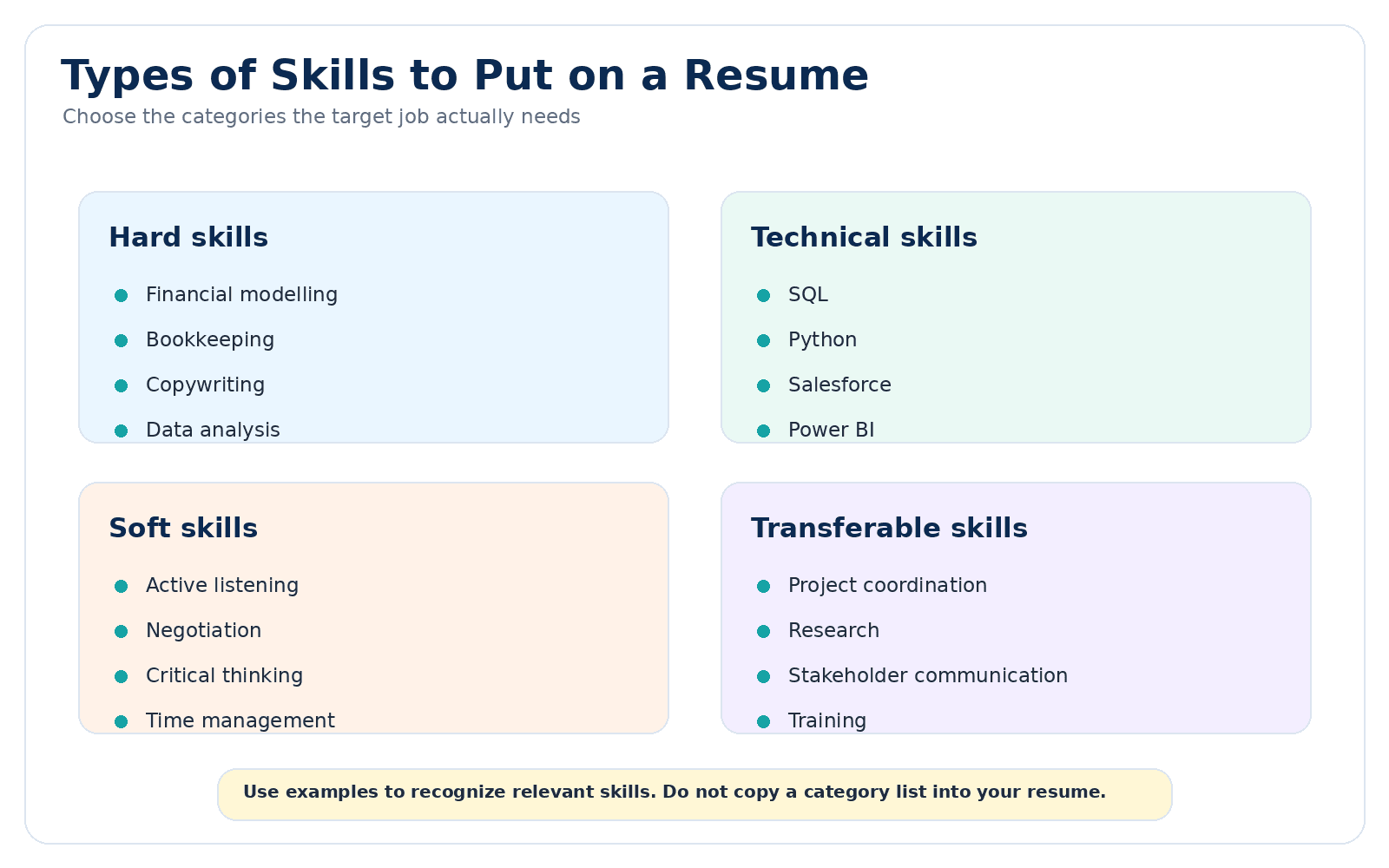
Use skill categories to recognize relevant capabilities, then choose only the ones that fit the target job and your real background.
What skills do employers look for on a resume?
Employers look for the skills that help someone perform the specific job, not the same universal list for every role.
The skills employers look for depend on the position, seniority level, industry, and responsibilities. A data analyst, medical assistant, project manager, and sales representative will not be evaluated against the same mix of skills.
In practice, the strongest resume usually combines role-specific hard or technical skills with the interpersonal and thinking skills needed to use them effectively. The job description should decide which capabilities receive the most attention.
- Job-specific hard and technical skills, such as software, systems, methods, procedures, or domain knowledge needed to do the work.
- Analytical and problem-solving skills when the role requires interpreting information, diagnosing issues, making decisions, or improving processes.
- Communication and collaboration skills when the job involves customers, stakeholders, cross-functional teams, presentations, or written communication.
- Planning, coordination, or leadership skills when the role includes projects, schedules, budgets, training, ownership, or team responsibilities.
- Required certifications, licenses, languages, or specialized capabilities when the employer explicitly asks for them.
Examples of skills to put on a resume
Use these as examples, not as a checklist to copy.
The list below is intentionally broad because different jobs require different capabilities. Choose only the skills that fit the target role and your real background.
- Skill area
- Technical and digital
- Examples
- Microsoft Excel, Google Sheets, SQL, Python, JavaScript, TypeScript, Java, C#, React, Node.js, Git, REST APIs, AWS, Azure, Docker, Power BI, Tableau, Salesforce, HubSpot, QuickBooks, SAP, AutoCAD, Figma, Adobe Creative Cloud
- Skill area
- Data, research, and analysis
- Examples
- Data cleaning, data visualization, statistical analysis, forecasting, dashboard reporting, KPI tracking, financial analysis, market research, competitive research, survey analysis, quality assurance, root cause analysis, requirements analysis, process analysis, risk assessment, reporting
- Skill area
- Project, operations, and management
- Examples
- Project planning, project coordination, budget management, resource planning, scheduling, vendor management, procurement, inventory management, process improvement, workflow documentation, change management, cross-functional coordination, team leadership, staff training, performance monitoring, quality control
- Skill area
- Sales and customer
- Examples
- Prospecting, lead qualification, account management, pipeline management, sales forecasting, contract negotiation, customer onboarding, customer retention, customer support, CRM management, needs assessment, product demonstrations, escalation management, relationship management, renewal management, upselling
- Skill area
- Marketing and creative
- Examples
- Content writing, copywriting, search engine optimization, email marketing, social media management, paid search, campaign management, marketing analytics, conversion rate optimization, content strategy, brand management, graphic design, video editing, user research, A/B testing, editorial planning
- Skill area
- Finance and administrative
- Examples
- Bookkeeping, accounts payable, accounts receivable, financial reporting, budget tracking, reconciliation, payroll processing, expense management, calendar management, travel coordination, records management, document preparation, data entry, meeting coordination, office administration, invoice processing
- Skill area
- Healthcare and service
- Examples
- Patient scheduling, patient intake, medical terminology, electronic health records, vital signs, clinical documentation, HIPAA-aware handling of patient information, appointment coordination, care coordination, phlebotomy, infection control procedures, customer service, conflict resolution, case documentation, service recovery
- Skill area
- Interpersonal and thinking
- Examples
- Active listening, critical thinking, complex problem solving, judgment and decision making, negotiation, persuasion, coordination, instructing, time management, service orientation, stakeholder communication, presentation, facilitation, mentoring, conflict resolution, prioritization
| Skill area | Examples |
|---|---|
| Technical and digital | Microsoft Excel, Google Sheets, SQL, Python, JavaScript, TypeScript, Java, C#, React, Node.js, Git, REST APIs, AWS, Azure, Docker, Power BI, Tableau, Salesforce, HubSpot, QuickBooks, SAP, AutoCAD, Figma, Adobe Creative Cloud |
| Data, research, and analysis | Data cleaning, data visualization, statistical analysis, forecasting, dashboard reporting, KPI tracking, financial analysis, market research, competitive research, survey analysis, quality assurance, root cause analysis, requirements analysis, process analysis, risk assessment, reporting |
| Project, operations, and management | Project planning, project coordination, budget management, resource planning, scheduling, vendor management, procurement, inventory management, process improvement, workflow documentation, change management, cross-functional coordination, team leadership, staff training, performance monitoring, quality control |
| Sales and customer | Prospecting, lead qualification, account management, pipeline management, sales forecasting, contract negotiation, customer onboarding, customer retention, customer support, CRM management, needs assessment, product demonstrations, escalation management, relationship management, renewal management, upselling |
| Marketing and creative | Content writing, copywriting, search engine optimization, email marketing, social media management, paid search, campaign management, marketing analytics, conversion rate optimization, content strategy, brand management, graphic design, video editing, user research, A/B testing, editorial planning |
| Finance and administrative | Bookkeeping, accounts payable, accounts receivable, financial reporting, budget tracking, reconciliation, payroll processing, expense management, calendar management, travel coordination, records management, document preparation, data entry, meeting coordination, office administration, invoice processing |
| Healthcare and service | Patient scheduling, patient intake, medical terminology, electronic health records, vital signs, clinical documentation, HIPAA-aware handling of patient information, appointment coordination, care coordination, phlebotomy, infection control procedures, customer service, conflict resolution, case documentation, service recovery |
| Interpersonal and thinking | Active listening, critical thinking, complex problem solving, judgment and decision making, negotiation, persuasion, coordination, instructing, time management, service orientation, stakeholder communication, presentation, facilitation, mentoring, conflict resolution, prioritization |
What JobResumeAI checks show about resume skills sections
In the 2,225 detailed checks used in JobResumeAI's 2026 ATS research, 91.0% had a Skills section detected.
In the raw export, 1,798 checks also contained at least one parsed skill name in the structured resume fields. Among those checks, the median was 12 parsed skills and the middle 50% ran from 8 to 18.
That is a description of the dataset, not a recommended number of skills. A technical resume can need more named tools than an administrative resume. Relevance and evidence matter more than matching the median.
How to choose skills from a job description
If you are unsure which skills to put on your resume, the job description is the best place to start. Read it for meaning first. Do not simply count repeated words.
Look for skills inside required qualifications, core responsibilities, tools, systems, certifications, and specific methods. A skill mentioned once as a requirement can matter more than a vague phrase repeated in company boilerplate.
- 1
Mark the must-have requirements
Identify the capabilities the employer clearly treats as required. These deserve attention first when you actually meet them.
- 2
Pull out tools and job-specific skills
Note software, systems, methods, technical skills, languages, certifications, and functional responsibilities that are central to the work.
- 3
Separate core skills from supporting skills
A central skill such as financial modelling for an analyst role should usually receive more attention than a broad trait such as being organized.
- 4
Match each important skill to evidence
Find the job, project, course, certification, volunteer work, or other credible experience that supports the skill.
- 5
Leave unsupported skills out
If the job asks for something you have not done, do not add it to your resume simply to look like a closer match.
Prioritize skills instead of trying to include everything
A recruiter should not have to search through a wall of terms to understand what you are good at. Rank your skills by how important they are to the target job and how strongly you can support them.
- Priority
- Core
- What belongs here
- Required or central skills you genuinely have
- Resume action
- Make them easy to find and support important ones with evidence
- Priority
- Supporting
- What belongs here
- Useful skills that strengthen your fit but are not central to the job
- Resume action
- Include when they add meaningful context and space allows
- Priority
- Low relevance
- What belongs here
- Skills that are real but not useful for this application
- Resume action
- Leave them out if they distract from the target role
- Priority
- Unsupported
- What belongs here
- Skills requested by the employer that you do not actually have
- Resume action
- Do not list them as your skills
| Priority | What belongs here | Resume action |
|---|---|---|
| Core | Required or central skills you genuinely have | Make them easy to find and support important ones with evidence |
| Supporting | Useful skills that strengthen your fit but are not central to the job | Include when they add meaningful context and space allows |
| Low relevance | Skills that are real but not useful for this application | Leave them out if they distract from the target role |
| Unsupported | Skills requested by the employer that you do not actually have | Do not list them as your skills |
Where should skills go on a resume?
A dedicated skills section is useful for quick scanning, especially when the job depends on specific tools, technologies, methods, or functional expertise. Important skills should not stop there.
CareerOneStop notes that the Skills section can appear near the top when skills are essential to the job. Where you place it should depend on what makes your qualifications easiest to understand.
Skills section
Use a concise list or logical groups. Technical roles may benefit from categories such as Languages, Frameworks, Data, Cloud, or Tools. Other roles might use categories such as Finance, Operations, CRM, or Clinical Skills.
Experience bullets
This is where important skills become credible. Show how you used the skill, what you were responsible for, and what happened as a result when that outcome is known.
Professional summary
Use a small number of skills that help define your fit for the target role. Avoid turning the summary into a comma-separated list.
Projects
Projects can prove technical, analytical, creative, or domain skills when your work history does not yet show them clearly.
Education and certifications
Relevant coursework, training, licenses, or certifications can support a skill, especially for students, recent graduates, and people moving into a new field.
How many skills should you put on a resume?
There is no universal correct number. The right amount depends on the role, your experience, and how technical the work is.
A software engineer may need grouped lists of languages, frameworks, infrastructure, and testing tools. A customer service resume may need far fewer items because much of the evidence is better shown through experience bullets.
Instead of aiming for a number, ask whether every listed skill helps the reader understand your fit. If the section starts to look like a keyword dump, cut the low-value items first.
Resume skills examples by job
The examples below show how the skills section changes with the role. They are not complete checklists, and you should only use skills you actually have.
- Target role
- Software engineer
- Examples of relevant skills
- TypeScript, React, Node.js, REST APIs, Git, testing, cloud platforms, debugging
- Target role
- Data analyst
- Examples of relevant skills
- SQL, Excel, Power BI or Tableau, data cleaning, reporting, visualization, stakeholder communication
- Target role
- Administrative assistant
- Examples of relevant skills
- Calendar management, Microsoft Office, document preparation, meeting coordination, travel coordination, records management
- Target role
- Medical assistant
- Examples of relevant skills
- Patient intake, vital signs, medical terminology, patient scheduling, clinical documentation, electronic health records
- Target role
- Dental assistant
- Examples of relevant skills
- Chairside assisting, sterilization, patient preparation, dental records, scheduling, dental software, and radiography when trained and permitted
- Target role
- Customer service representative
- Examples of relevant skills
- Customer support, CRM tools, issue resolution, escalation management, active listening, service recovery
- Target role
- Marketing specialist
- Examples of relevant skills
- Content marketing, SEO, email marketing, campaign management, analytics, social media management
- Target role
- Project manager
- Examples of relevant skills
- Project planning, risk management, stakeholder communication, scheduling, budgeting, change management
- Target role
- Accountant
- Examples of relevant skills
- Financial reporting, reconciliation, accounts payable, accounts receivable, Excel, accounting software
- Target role
- Staff accountant
- Examples of relevant skills
- General ledger, account reconciliation, journal entries, month-end close, financial reporting, Excel, accounting systems
- Target role
- Firefighter
- Examples of relevant skills
- Fire suppression, emergency medical response, search and rescue, SCBA, apparatus readiness, radio communication, incident documentation
| Target role | Examples of relevant skills |
|---|---|
| Software engineer | TypeScript, React, Node.js, REST APIs, Git, testing, cloud platforms, debugging |
| Data analyst | SQL, Excel, Power BI or Tableau, data cleaning, reporting, visualization, stakeholder communication |
| Administrative assistant | Calendar management, Microsoft Office, document preparation, meeting coordination, travel coordination, records management |
| Medical assistant | Patient intake, vital signs, medical terminology, patient scheduling, clinical documentation, electronic health records |
| Dental assistant | Chairside assisting, sterilization, patient preparation, dental records, scheduling, dental software, and radiography when trained and permitted |
| Customer service representative | Customer support, CRM tools, issue resolution, escalation management, active listening, service recovery |
| Marketing specialist | Content marketing, SEO, email marketing, campaign management, analytics, social media management |
| Project manager | Project planning, risk management, stakeholder communication, scheduling, budgeting, change management |
| Accountant | Financial reporting, reconciliation, accounts payable, accounts receivable, Excel, accounting software |
| Staff accountant | General ledger, account reconciliation, journal entries, month-end close, financial reporting, Excel, accounting systems |
| Firefighter | Fire suppression, emergency medical response, search and rescue, SCBA, apparatus readiness, radio communication, incident documentation |
Related
Filter a copy-ready skills bank by role
Use the role filter to narrow the examples, then compare them with the actual job posting. Do not treat the bank as a checklist.
Do not just list important skills. Prove them.
A skills section helps with scanning, but evidence is what makes a skill believable. If a capability is central to the job, try to show where you used it.
CareerOneStop's resume guidance recommends making qualifications and skills related to the target job easy to find in work experience. That is a better goal than repeating the same term several times without context.
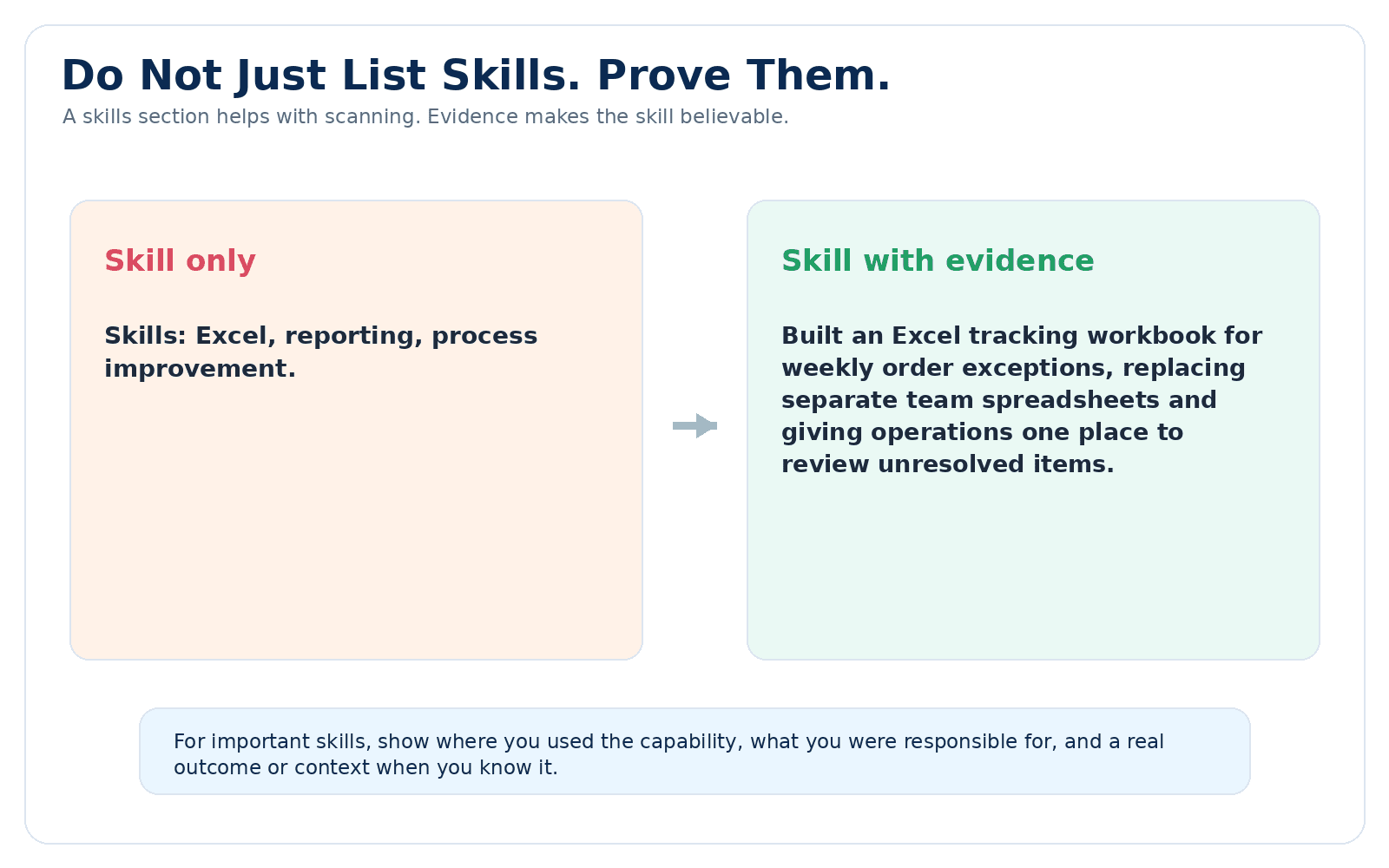
Important skills become more credible when the resume shows where and how you used them.
Skill only
“Skills: Excel, reporting, process improvement.”
Skill with evidence
“Built an Excel tracking workbook for weekly order exceptions, replacing separate team spreadsheets and giving operations one place to review unresolved items.”
How to handle soft skills on a resume
Soft skills can matter a lot, but a list such as communication, teamwork, leadership, hardworking, and problem solving tells the reader very little by itself.
O*NET includes skills such as active listening, coordination, negotiation, persuasion, critical thinking, complex problem solving, and time management in its soft-skills framework. Those are more useful when they connect to the work you actually did.
- Instead of only listing
- Communication
- Show evidence such as
- Presented weekly performance findings to sales and operations leaders
- Instead of only listing
- Leadership
- Show evidence such as
- Trained and supported three new team members through the onboarding process
- Instead of only listing
- Problem solving
- Show evidence such as
- Investigated recurring order errors and documented the source for the operations team
- Instead of only listing
- Collaboration
- Show evidence such as
- Coordinated release readiness across product, support, and engineering
- Instead of only listing
- Time management
- Show evidence such as
- Managed overlapping customer deadlines while maintaining required service response times
| Instead of only listing | Show evidence such as |
|---|---|
| Communication | Presented weekly performance findings to sales and operations leaders |
| Leadership | Trained and supported three new team members through the onboarding process |
| Problem solving | Investigated recurring order errors and documented the source for the operations team |
| Collaboration | Coordinated release readiness across product, support, and engineering |
| Time management | Managed overlapping customer deadlines while maintaining required service response times |
Resume skills and ATS keywords are related, but they are not the same thing
A skill can also be a useful keyword when the employer uses that term in the job description. SQL, Salesforce, project management, phlebotomy, and financial modelling are all examples of terms that may function as both skills and job-specific keywords.
But not every important keyword is a skill. A job title, certification, industry term, qualification, product category, or responsibility can also matter. That is why copying every term into a Skills section is not a good strategy.
Use the Skills section for capabilities you genuinely have. Use the rest of the resume to show titles, responsibilities, credentials, achievements, and experience in the places where they make sense.
What if you do not have much work experience?
Students, recent graduates, and career changers can still show relevant skills. The evidence may come from projects, coursework, internships, volunteering, certifications, freelance work, or responsibilities from another field.
The key is to separate having a skill from having years of professional experience with it. A classroom project can support SQL or data visualization skills, for example, but it should not be presented as professional analytics experience if it was not.
- Use projects to show technical or analytical skills in context.
- Include relevant coursework when it adds evidence that is not visible elsewhere.
- Use volunteer work when it demonstrates real responsibilities.
- Highlight transferable skills from previous roles when they match the new job.
- Be clear about the setting in which you developed the skill.
Where resume skills sections lose credibility
- Copying every skill from the job description whether you have it or not.
- Listing dozens of unrelated tools just to make the resume look more technical.
- Using generic traits such as hardworking or motivated as substitutes for evidence.
- Claiming expert or advanced proficiency when you cannot support that level.
- Repeating the same skill in the summary, skills section, and several bullets without adding new information.
- Using progress bars or star ratings that do not explain what your proficiency actually means.
- Keeping outdated or irrelevant skills that distract from the role you want now.
- Listing a technology you briefly encountered as though you used it independently.
- Focusing on keywords while leaving the experience section vague.
Common questions about skills for a resume
What are good skills to put on a resume?
Good resume skills are relevant to the target job, specific enough to understand, and supported by your real background. The best choices change from one role to another. Start with required skills and central responsibilities in the job description, then prioritize the ones you can prove.
What should I write in the skills section of my resume?
Write the skills that are most relevant to the target job and that accurately reflect what you can do. Prioritize required and job-specific capabilities first, use the employer's terminology when it is accurate for your background, and keep low-relevance skills out. Important skills are stronger when your experience, projects, education, or certifications also show evidence of how you used them.
Should soft skills go in the Skills section?
They can, but use them selectively. Technical and job-specific skills are often easier to scan in a dedicated section. Soft skills are usually more convincing when your summary or experience shows how you used them.
What are special skills for a resume?
The phrase usually refers to capabilities that are particularly useful for a role, such as a language, license, software platform, technical method, clinical procedure, or specialized domain skill. What counts as special depends entirely on the job.
Should I list Microsoft Office on my resume?
List it when it is relevant and meaningful for the role. When the job depends on a specific application or level of use, be more precise. For example, advanced Excel reporting is more informative than a broad Microsoft Office label when Excel is central to the work.
Can I list a skill I am still learning?
Be clear about your actual level. If you have used the skill in a course or project, show that context instead of presenting it as established professional experience. Avoid proficiency labels that overstate what you can do.
Should every skill appear in my experience section?
No. Some supporting tools or capabilities can live only in the Skills section. But the skills most important to the job are stronger when the resume also contains evidence showing how you used them.
Final skill-section review
- Does the skills section reflect the job you are actually targeting?
- Are required and job-specific skills prioritized over generic traits?
- Can you explain how you learned or used every skill you list?
- Do the most important skills appear in experience, projects, education, or certifications where appropriate?
- Have you removed low-relevance skills that distract from the target role?
- Are technical tools named accurately?
- Are soft skills supported by evidence instead of adjectives alone?
- Did you avoid adding skills solely to improve an ATS match?
- Does the section remain easy to scan?
Further reading
Sources and references
These references were reviewed while preparing this guide. JobResumeAI may interpret or organize the guidance differently; the links below let you check the underlying advice yourself.